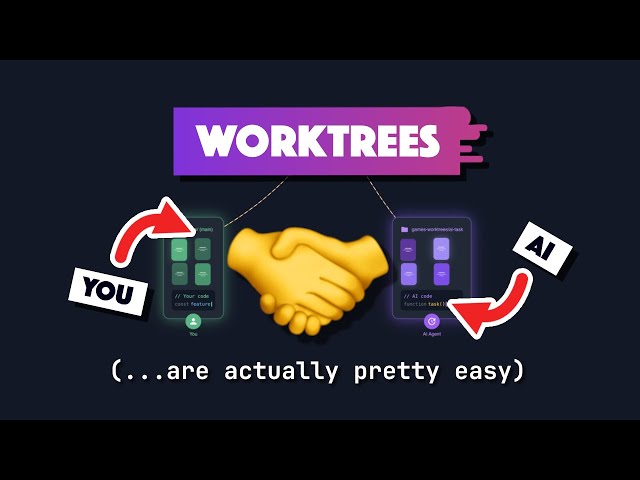
If you’ve ever switched Git branches while working on multiple features, you know the frustration — stashing changes, checking out branches, rebuilding code, and repeating the cycle.
But what if you could work on multiple branches simultaneously without switching context?
That’s exactly what Git Worktree enables.
In this article, you’ll learn what Git Worktree is, why developers love it, and how to use it in real projects.
📺 Learn Git Worktree Visually
🧠 What Is Git Worktree?
Git Worktree is a feature that allows you to check out multiple branches of the same repository into different directories at the same time.
Normally, one Git repository has one working directory.
With Git Worktree, you can create multiple working directories — each connected to a different branch.
👉 Think of it like cloning your repo multiple times — but without duplicating the entire Git history.
❗ Why Git Worktree Is Useful
Here are the main problems Git Worktree solves:
1️⃣ No More Branch Switching
You don’t need to stash or commit unfinished work just to switch branches.
Each branch lives in its own directory — work independently without conflicts.
2️⃣ Work on Multiple Features in Parallel
Perfect for:
- Bug fixes while feature development continues
- Reviewing pull requests locally
- Testing releases without interrupting main work
- Experimenting safely
3️⃣ Faster Than Cloning Repositories
Git Worktree reuses the same .git repository data.
This means:
- No duplicate downloads
- Less storage
- Faster setup
⚙️ How Git Worktree Works (Conceptually)
Your main repo stays as the central repository.
Then you attach additional directories — called worktrees — each pointing to a different branch.
Example structure:
project/
project-feature-login/
project-hotfix/
project-release/
Each folder runs independently — but all share the same Git history.
🛠️ Basic Git Worktree Commands
✅ Create a New Worktree
git worktree add ../feature-login feature-login
This creates a new folder with the branch checked out.
✅ List All Worktrees
git worktree list
Shows all active working directories.
✅ Remove a Worktree
git worktree remove ../feature-login
Deletes the working directory (not the branch).
💼 Real-World Developer Workflow
Imagine this scenario:
✔ You’re building a new feature
✔ A production bug appears
✔ QA needs release testing
Without Git Worktree → constant branch switching
With Git Worktree → separate folders for each task
You simply open multiple IDE windows and work simultaneously.
Massive productivity boost.
🎯 When Should You Use Git Worktree?
Git Worktree is ideal when you:
- Handle multiple pull requests
- Maintain production and development simultaneously
- Need parallel testing environments
- Want clean context switching
- Work in large teams with many branches
⚠️ Things to Keep in Mind
- Each worktree needs disk space for project files (but not full repo history)
- You cannot delete a branch if it’s used by a worktree
- Manage worktrees carefully to avoid clutter
🏁 Final Thoughts
Git Worktree is one of the most powerful yet underused Git features.
It removes context switching, improves workflow efficiency, and makes parallel development simple.
If you work with multiple branches daily, learning Git Worktree can significantly improve your productivity.
Leave a Reply