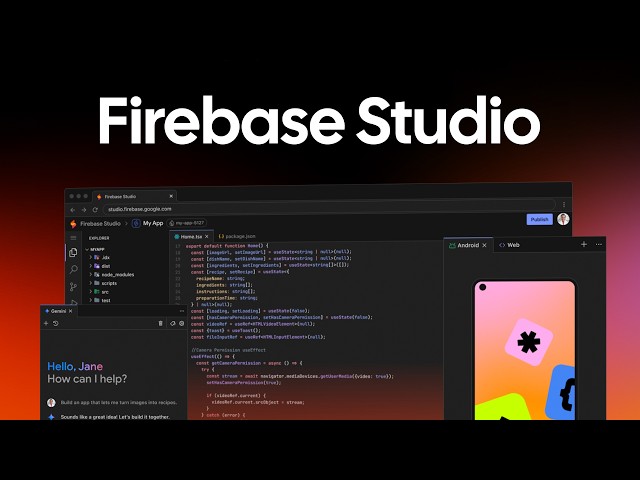
Introduction: In a recent video, Google introduces Firebase Studio, a new AI-powered Integrated Development Environment (IDE) designed to streamline the entire product development lifecycle. This innovative tool leverages the power of AI, particularly Gemini 2.5 Pro, to enable rapid prototyping, collaborative design, and seamless deployment. This blog post elaborates on the key features and capabilities of Firebase Studio, highlighting its potential to transform the way apps are built.
AI-Powered Prototyping with Gemini 2.5 Pro: Firebase Studio empowers users to create app prototypes simply by providing prompts [00:37]. The underlying AI, Gemini 2.5 Pro, then generates a blueprint for the application, handling tasks like decomposition and style guidelines. This significantly accelerates the initial design phase, allowing developers to quickly visualize and iterate on their ideas.
Intuitive UI and Visual Modification: The IDE boasts a polished and user-friendly interface [00:12]. Furthermore, Firebase Studio integrates with Excalidraw, enabling users to annotate and visually modify their applications with ease [03:01]. The element inspection feature allows for precise adjustments and customization [03:52].
Real-time Preview and Collaboration: Firebase Studio facilitates seamless collaboration with a public preview URL and QR code, allowing users to view the application’s responsive design across various devices in real-time [04:16]. This feature streamlines the feedback process and ensures a consistent user experience.
Code Access and AI Assistance: Developers can seamlessly transition to a VS Code-forked environment (Project IDX) to access and directly modify the underlying code [04:40]. The integrated Gemini window provides AI assistance within the coding environment, further enhancing productivity.
Direct Deployment with Firebase App Hosting: Firebase Studio simplifies the deployment process with direct integration with Firebase app hosting [05:49]. This allows for a streamlined workflow from development to launch.
Conclusion: Firebase Studio represents a significant step forward in app development, leveraging AI to accelerate prototyping, enhance collaboration, and simplify deployment. With its intuitive interface and powerful features, Firebase Studio has the potential to become an indispensable tool for developers seeking to build high-quality applications efficiently.
Leave a Reply