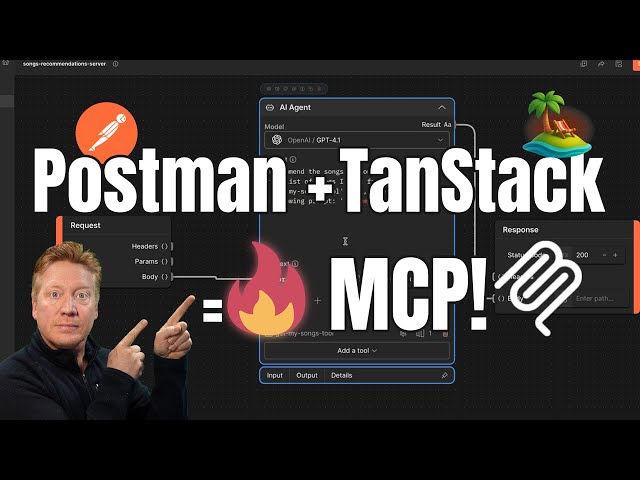
You likely already use Postman for API development and testing, but its capabilities now extend far beyond traditional REST and GraphQL. The recent integration of features for the Model Context Protocol (MCP)—the emerging standard that allows AI models (like LLMs) to interface with external tools and data—transforms Postman into an essential tool for AI engineering.
This guide explores two critical ways Postman can be leveraged for MCP work: debugging existing servers and, more powerfully, building an MCP layer for your non-MCP (legacy) APIs without writing any server-side code.
1. Debugging Your Native MCP Server
If you are building a server with native MCP support, such as an application using TanStack Start, Postman offers a dedicated workspace for testing and debugging.
- The Setup: A server (e.g., a TanStack Start application) implements an MCP endpoint (like
/mcp) and registers specific “tools”—functions that the AI can call, such asgetSongsoraddSong[01:46]. - The Postman Advantage: Instead of manually formatting complex requests, you simply connect the Postman MCP client to your running local server (
localhost:3000/mcp). Postman automatically discovers and lists all registered tools, allowing you to test them directly with simple inputs and immediately see the results, making the debugging process clean and instantaneous [02:34].
2. Building a No-Code MCP Layer for Legacy APIs (The Advanced Use Case)
The most revolutionary feature is Postman’s ability to act as a full-fledged MCP server itself. This allows you to expose existing, non-MCP APIs (like a simple /api/songs endpoint) to an AI, providing immediate utility without a backend rewrite.
Here is the four-step flow for creating an AI-powered song recommendation tool that uses data from a legacy API:
Step 1: Define the Tool and Connect the AI Agent
In Postman, you create a new action and define a Scenario called toolDefinition. This is where you declare the tool you want the AI to see, such as getSongRecommendations, which takes a user prompt as input [04:16].
Next, you integrate the intelligence:
- Replace the placeholder logic with an AI Agent component [05:35].
- Configure the agent’s prompt to be open-ended, asking it to recommend songs based on the user’s input [05:42].
- The agent’s output is connected directly to the response, allowing it to provide a seamless AI response when tested [06:10].
Step 2: Connect the External API with a Flow Module
The AI needs data from the legacy API. Since the API is non-MCP, you use Postman’s visual flow builder:
- Expose the Local API (ngrok): Use a tool like ngrok to create an external URL that securely tunnels to your local API (
localhost:3000/api/songs), ensuring the Postman-deployed server can reach it [06:47]. - Create a Flow Module: Within Postman, create a Flow Module that performs a simple HTTP request to the external (ngrok) URL. This module is configured to return the raw JSON body of the song list [07:20].
- Register as a Tool: This Flow Module is then snapshotted and registered as a new tool (
getMySongsTool) on the Postman-deployed MCP server [07:59].
Step 3: Integrate the Data Tool into the AI Prompt
The final step is instructing the AI to use the newly created data source:
- Update the Prompt: Modify the AI Agent’s prompt to be specific, telling it to “use that get my songs tool to go and get the current list of songs” before generating recommendations [08:23].
- The Result (The Trace):
- User sends request to Postman’s MCP server.
- Postman calls the integrated AI.
- The AI recognizes it needs external data and requests the
getMySongsTool. - The Flow Module executes the HTTP call to the external API (via ngrok).
- The song data returns to the AI.
- The AI generates a contextual, data-driven recommendation.
This entire process demonstrates how Postman allows you to prototype a full-fledged MCP AI integration experience with minimal or no code [09:19]. It secures a path for adopting the benefits of AI tooling without requiring deep changes to your underlying API infrastructure.
Leave a Reply