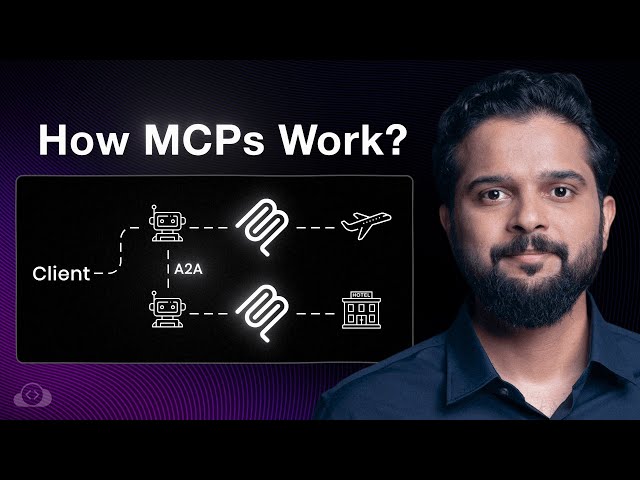
For years, a fundamental problem has challenged AI: Large Language Models (LLMs) are static. They are trained on historical data and cannot natively access real-time information (like today’s weather or stock prices) or perform real-world actions (like booking a flight).
The solution to this problem—and the future of intelligent AI applications—is the Model Context Protocol (MCP), an open standard developed by Anthropic. MCP acts as the standardized “magic glue” that seamlessly connects AI with the outside world.
The Problem MCP Solves: The Integration Mess
Before MCP, if you wanted your AI application (say, Claude) to access your Customer Database, you had to build a custom integration layer between the two. If you then wanted to connect a second AI (like ChatGPT) to the same database, you had to build a second, separate integration.
This approach created an unsustainable mess:
- High Maintenance: You had to maintain unique logic and workflows for every client and every data source.
- Zero Interoperability: A change in your database or a new AI client meant starting over, leading to complexity that scaled out of control.
What is the Model Context Protocol?
MCP is a standardized protocol designed to share and manage context between diverse AI applications, ensuring consistent communication and enhanced AI experience.
The core idea is simple: Give AI a consistent way to connect with tools, services, and data, regardless of how or where they are built.
With MCP, you build one standardized connection point for a data source, and all AI applications can reuse it.
The Three Key Architectural Players
MCP defines three main components that work together to bring external data and actions to the AI:
- MCP Host: This is the AI application itself (e.g., Claude, ChatGPT, Gemini).
- MCP Client: A component that sits within the AI application. It is responsible for maintaining a connection to the server and obtaining context.
- MCP Server: This is a program or abstraction layer that you set up in front of your data source (database, file system, external API). The server holds all your business logic, abstracting it from the client.
MCP’s Core Primitives: Tools vs. Resources
The MCP Server doesn’t just pass raw data; it offers standardized capabilities called Primitives that dictate the type of interaction the AI can have with the outside world.
The most important distinction is the difference between doing something and reading something:
| Primitive | Purpose | Capability | AI Control | Real-World Examples |
|---|---|---|---|---|
| Tools | AI Actions (Side Effects) | Execute functions, perform API calls, update data. | Model-Controlled | Search weather data, book a flight, send a message, create an event. |
| Resources | Contextual Data (Read-Only) | Access static or real-time information without changing it. | Application-Controlled | Reading document contents, viewing calendar feeds, non-side effect API responses. |
The AI Flight Booking Demo
Booking a flight is a perfect example of an MCP Tool.
- User Prompt: “Book me a flight from New York to London tomorrow.”
- AI Host: The LLM decides it needs an external action.
- Tool Call: It sends a request to the MCP Server, invoking the registered
bookFlightTool with the necessary parameters (destination, date). - Side Effect: The MCP Server executes the underlying logic (calling the airline API), which has the side effect of creating a confirmed booking in the external system.
By using this standardized protocol, the AI is transformed from a mere information provider into an intelligent agent capable of performing real-time tasks.
Leave a Reply