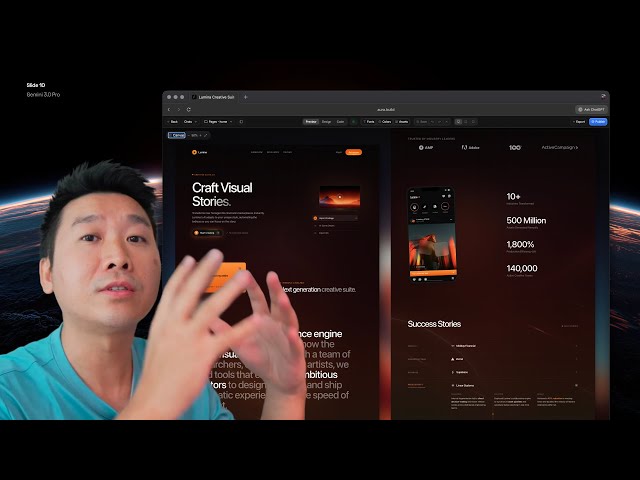
The era of generic, purple-hued landing pages generated by AI is officially over. The release of Gemini 3 marks a revolutionary shift, ushering in what many are calling the “Midjourney era for web design.” This new model excels in creativity, sophisticated animation, complex typography, and logic, but its power is unlocked only when you master the art of prompting and context feeding.
This post breaks down the three powerful techniques demonstrated in the video “Gemini 3 changes everything for web design” that you must adopt to leverage this new AI for production-ready designs.
1. Context is King: The Power of Inspiration Feeding
To get the best results from Gemini 3, you must move beyond simple prompts and provide rich context and direction.
- Specify a Style Guide: Avoid the generic defaults by immediately telling the AI the aesthetic you want. For example, asking for a design “in the style of Apple” yields superior results with better visual hierarchy, refined monochrome colors, and quality typography.
- Use Visual References (Screenshots): Treat curated design sites like Dribbble or Mobbin as your blueprint library. Feeding Gemini 3 a screenshot of a complex, well-designed hero section provides a detailed wireframe for the AI to replicate and adapt. This allows the model to handle intricate elements like complex grid layouts and floating elements that older models couldn’t manage.
- Define Your Assets Upfront: A critical tip for clean output is to tell the AI exactly which icon sets and logo formats to use. For example, specify “Iconify solar duo tone” or request company logos as SVG to prevent the AI from generating poorly rendered placeholder images.
2. Mastering Interactivity and Iteration
Gemini 3’s true power lies in its ability to handle complex, interactive, and beautifully animated components, moving beyond static UI design.
- Advanced Animations: The model is highly capable of generating code for modern interactions like scroll-based effects and border beam animations. You can prompt for these effects on a single element (e.g., “animate border beam using yellow”) for fast, targeted results.
- Mixing and Matching: The AI can creatively combine different styles. You can reference one template and instruct the AI to keep specific elements (e.g., “keep the cards, but change the rest”) from another to quickly generate a unique and polished design, often resulting in a superior outcome.
- Maintain Consistency: Once you are satisfied with a core element (like a hero section), ensure all subsequent sections you ask the AI to generate are prompted to “adapt” to maintain consistency in branding, animations, and interactions throughout the entire page.
3. Seamless Workflow and Exporting
The final piece of the puzzle is integrating the AI-generated HTML into a professional workflow.
- The Role of Design Tools: Visual editing platforms (like Aura, as shown in the video) offer an advantage by reading the entire codebase, enabling fast regeneration, and providing easy access to design controls (e.g., changing colors, drop shadows, or background gradients) that take longer to describe via text prompts.
- From HTML to Framework: The design is generated as clean HTML. To use it in a development environment, you can copy the code and then prompt the AI to “recreate this with React” (or another framework). This instantly converts the entire static landing page into functional, framework-specific code, connecting the design to your full application.
- The Human Touch: The video emphasizes that the designer’s skills remain vital for adding bespoke elements. Advanced effects like custom liquid glass, specific background textures, and precise shadow angles are often best applied using manual design tools before integrating them into the final code.
Conclusion
Gemini 3 represents a fundamental shift in how web design is approached. It acts less like a simple code generator and more like a highly skilled collaborator, requiring the designer to provide clear, detailed, and visually-rich direction. By mastering the art of inspiration feeding, leveraging its ability to handle complex interactivity, and integrating it into a smart workflow, designers can now create cutting-edge, custom, and complex websites at unprecedented speed.
Leave a Reply