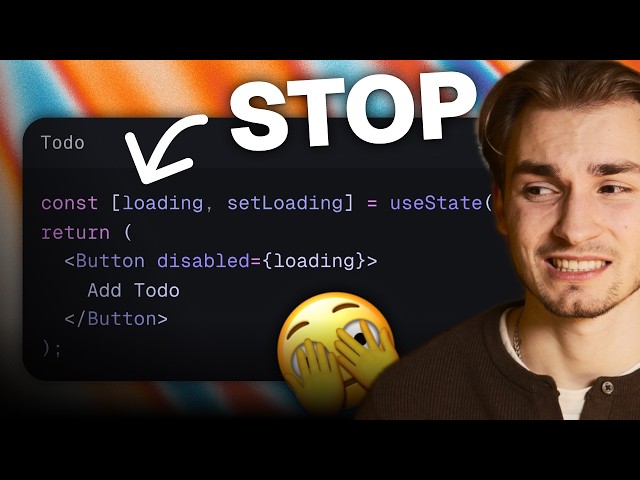
Boost UX by Reducing Perceived Waiting Time
In modern web and mobile application design, user experience is king. One common frustration users face is loading states — those spinners, skeleton screens, and progress indicators that signal the app is waiting on data. While loading indicators are useful, the YouTube video “STOP showing loading states and START using optimistic UI” advocates a smarter strategy: optimistic user interface (UI) updates that make apps feel faster and more responsive. Instead of forcing users to stare at loaders while waiting for server responses, optimistic UI predicts the outcome of interactions, updates the screen immediately, and then syncs with the server behind the scenes. This subtle shift dramatically improves the perception of performance and keeps users engaged.
What Is Optimistic UI?
Optimistic UI is a pattern where the application immediately reflects expected results before they are confirmed by the server. For example, if a user “likes” a photo, the UI should update instantly — without waiting for the network request to complete.
This technique leverages developer assumptions about successful outcomes to provide a smooth, instant experience. If the server later returns an error, the UI can gracefully roll back or show an unobtrusive message.
Why Avoid Traditional Loading States
Most traditional designs rely on visible loading indicators that:
- Interrupt user flow
- Create perceived delay
- Increase cognitive friction
Even if the backend responds within 100–200 milliseconds, visible loaders can make interactions feel slow. Reducing or eliminating them where safe can make apps feel significantly more responsive.
How Optimistic UI Works
1. Immediate UI Feedback
When an action is triggered (e.g., liking a post, sending a message), the app immediately updates the UI as if the action succeeded.
This gives users instant feedback and eliminates frustrating waiting periods.
2. Background Confirmation
The app then sends the request to the server. The server’s response confirms whether the optimistic change should remain or be reverted.
- Success: Keep the change
- Failure: Revert and notify the user
3. Graceful Error Handling
Optimistic UI doesn’t hide errors — it defers confirmation. If something goes wrong (like a failed network request), the UI can revert changes or prompt the user without disrupting the experience.
This technique requires thoughtful error states but delivers major UX gains.
Where to Use Optimistic UI
Optimistic UI works best in scenarios where:
- The server response is predictable
- The cost of temporary inconsistency is low
- Users value instant feedback
Common use cases include:
- Likes, votes, or reactions
- Updating preferences
- Sending non-critical messages
- UI toggles and switches
For operations with unpredictable results (like payments or complex data validation), traditional loading states may still be necessary.
Benefits of Optimistic UI
Faster Perceived Performance
Users feel the app is faster because they aren’t waiting on UI blockers.
Higher Engagement
Instant feedback keeps users engaged and reduces frustration.
Smooth Interactions
By avoiding unnecessary loaders, the UI feels more fluid and responsive.
Conclusion
Optimistic UI shifts how developers think about latency and responsiveness. Rather than waiting for confirmation before updating the UI, you predict success, update immediately, and confirm later. This approach increases perceived performance, enhances user satisfaction, and is a powerful pattern in modern frontend development. However, it must be implemented with robust error handling and rollback strategies for reliability.
Leave a Reply